
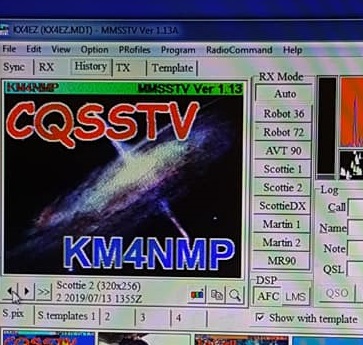
Since the last post on MMSSTV, a friend of mine bought a Yaesu FT-891. While setting it up, he was able to get CAT control through MMSSTV. This makes operation much easier. The settings are relativly easy and we will go over them in this post.

First click on Radio Comand and then click Setup.

The port setting will most likely be different on your computer. Check Windows device manager for the port your radio is using. Make sure the Baud rate in your radio is set the same. You can set the Baud rate in the Yeasu FT-891, in menu 05-06. All other settings should match the picture above.


For the caption, name the frequency and the radio it is for. The caption is the name you see in the menu. The command is what sets the VFO. The command for VFO A starts with FA. It is followed by a nine digit number that is the frequency. After the nine digit number, enter a semicolan. The example above is for 14.230 MHZ.
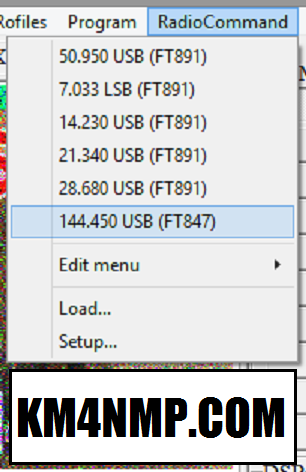
When CAT control is operating, the Frequencies in the menu will not be greyed out. When you click on the command your FT-891 should set the VFO.

Thank you KM4VHR for your contribution to this post!
Links
https://km4nmp.com/2019/07/13/trying-out-sstv/
https://km4nmp.com/2019/08/14/yaesu-ft-891-sound-card-interface-cable/
https://km4nmp.com/2019/03/30/yaesu-ft-891-review/
https://www.amateur-radio-wiki.net/index.php?title=SSTV_frequencies
Latest Posts
- 2:1 Balun For 2m/6m
- 1:1 Choke For 2m and 6m
- 2m Delta Loop Ver 2
- 2m Delta Loop
- Finishing The 6m Delta Loop With 2:1 Balun

 KM4NMP
1 thought on “MMSSTV Yeasu FT 891 CAT Control.”