
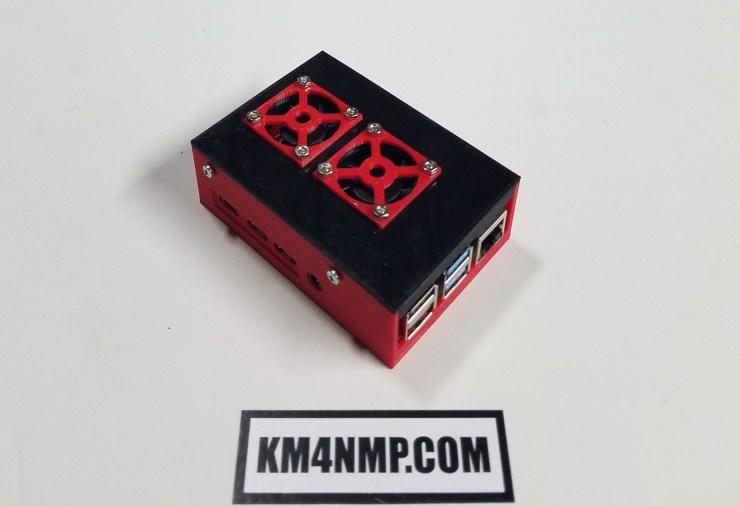
TeamViewer is a useful program that gives you the ability to remote into your Raspberry Pi. Typically I use VNC to remote into my equipment but TeamViewer is easier to use over the internet. Once installed all that is required to connect are the TeamViewer ID and password.

First, we have to download the package file. In the command line type ” wget https://download.teamviewer.com/download/linux/teamviewer-host_armhf.deb “.
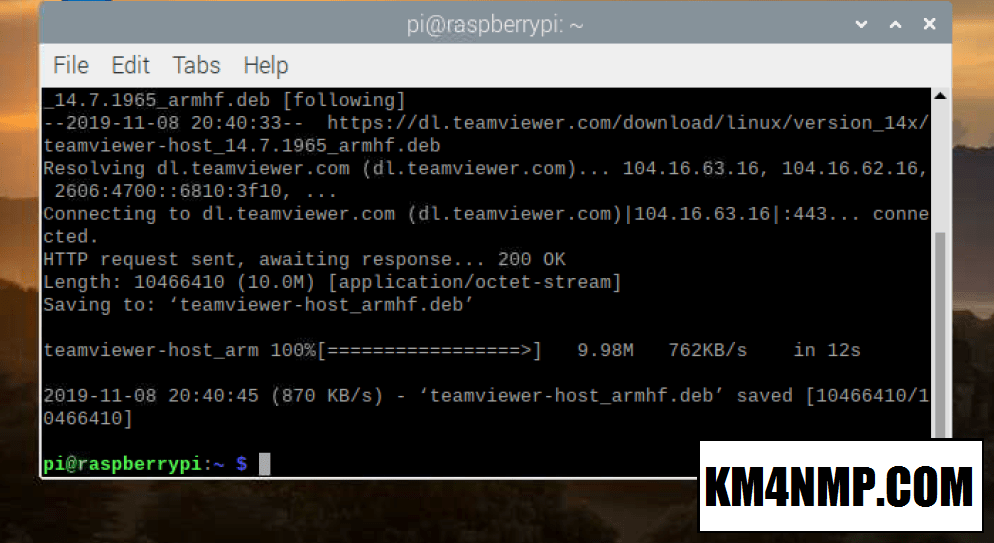
The file will start downloading and a download status bar will show the progress of the download.
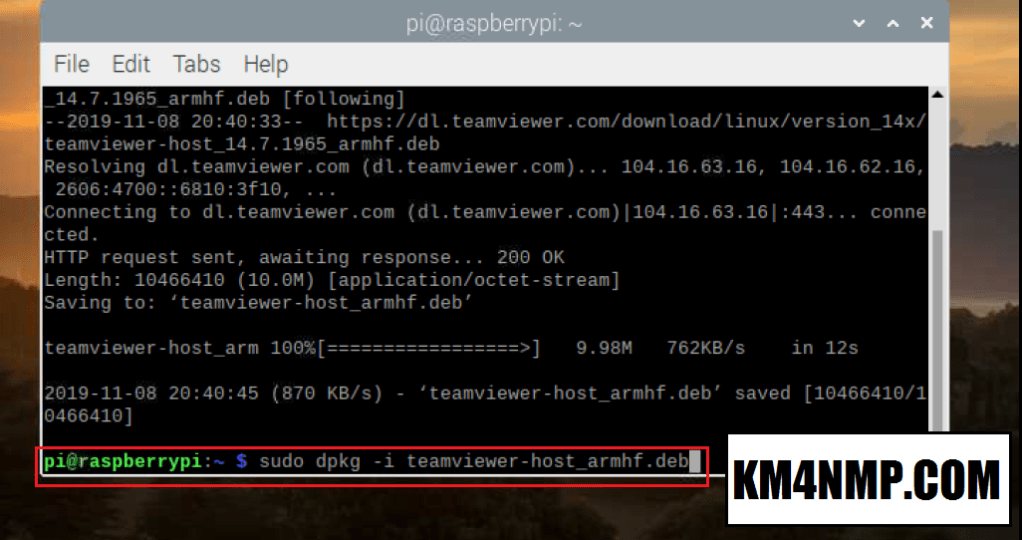
After the package is done downloading, it will need to be installed. To install the package type “sudo dpkg -i teamviewer-host_armhf.deb”
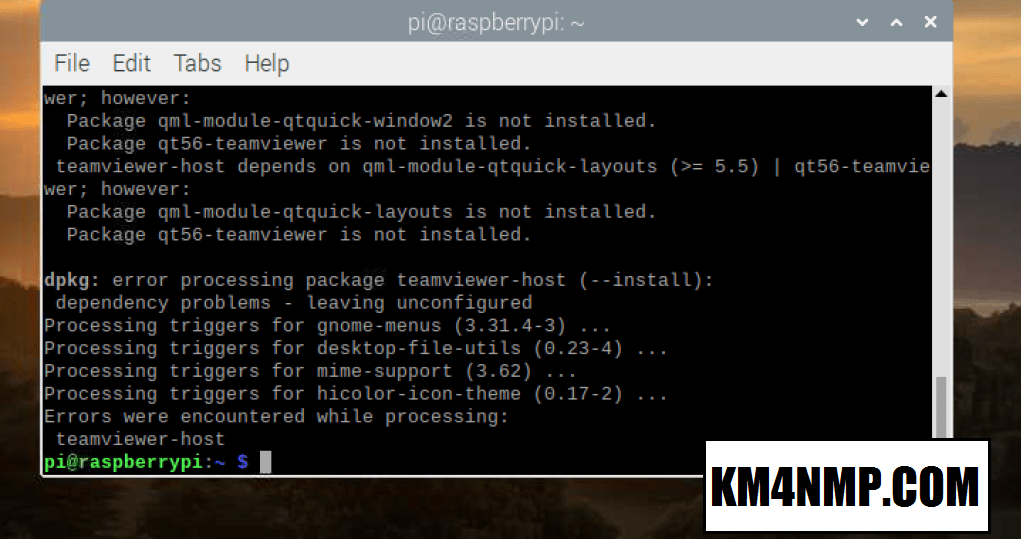
When installing the package there will be errors so do not be alarmed.
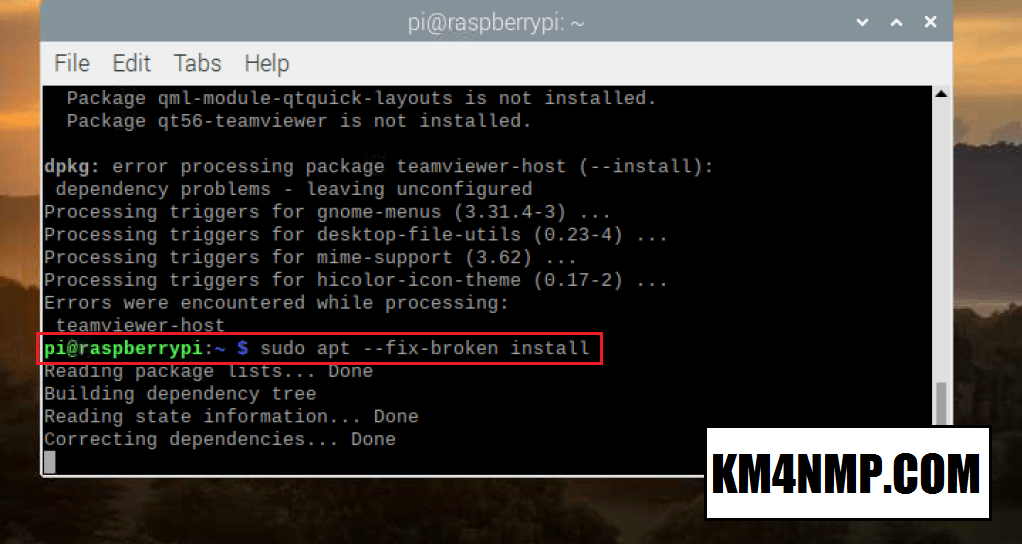
The errors that are displayed are due to other packages that need to be installed. After the installation is complete, type ” sudo apt –fix-broken install “. This will install any needed packages and fix the errors displayed previously.

Before we can connect to TeamViewer a new password needs to be set. To set the password type ” sudo teamviewer passwd “newpassword” “. Where “newpassword” is, place your new password. Keep your password secure to prevent unauthorized access.
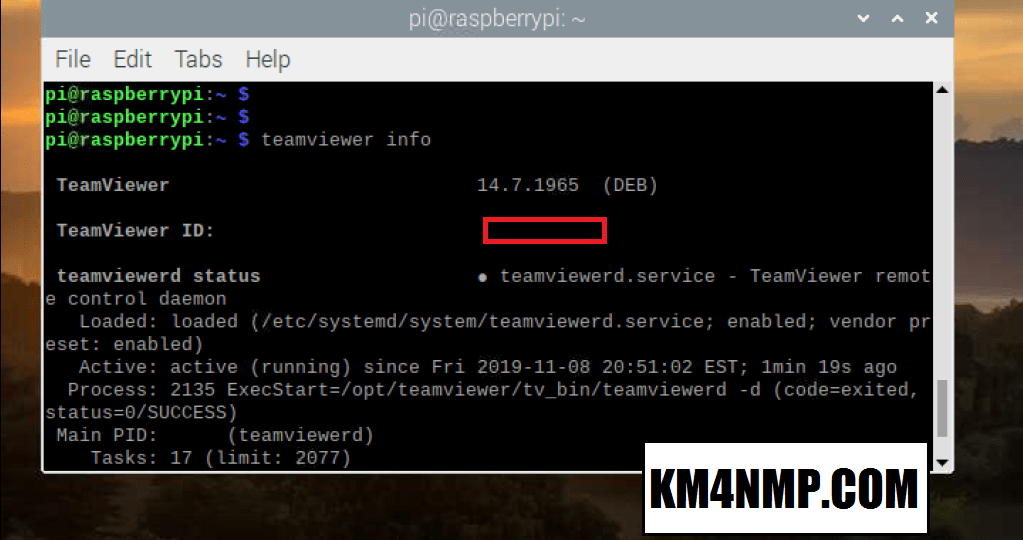
To connect you will need to get the TeamViewer ID. In the command line type “teamviewer info”. In the picture above there is a red box. The location of this box is where the ID is displayed. You are now ready to connect remotely to the Raspberry Pi with TeamViewer.
Links
https://km4nmp.com/2019/11/10/how-to-enable-vnc-for-your-raspberry-pi/
https://km4nmp.com/2019/11/09/backing-up-the-raspberry-pi-sd-card/
https://km4nmp.com/2019/11/03/loading-raspian-on-the-new-raspberry-pi-4-b/
https://km4nmp.com/2019/11/02/the-raspberry-pi-4/
Latest Posts
- 2:1 Balun For 2m/6m
- 1:1 Choke For 2m and 6m
- 2m Delta Loop Ver 2
- 2m Delta Loop
- Finishing The 6m Delta Loop With 2:1 Balun

 KM4NMP
1 thought on “Installing TeamViewer on the Raspberry Pi”